How to Make Banner Ads in ChatGPT

ChatGPT alone can't hit exact IAB ad sizes. Connect Bannerbear and get on-brand banners at every size you need

>Make banner ads at 1080x1080, 1200x628 and 300x250 with my Sale E-commerce with Photo template. Title: Summer Sale
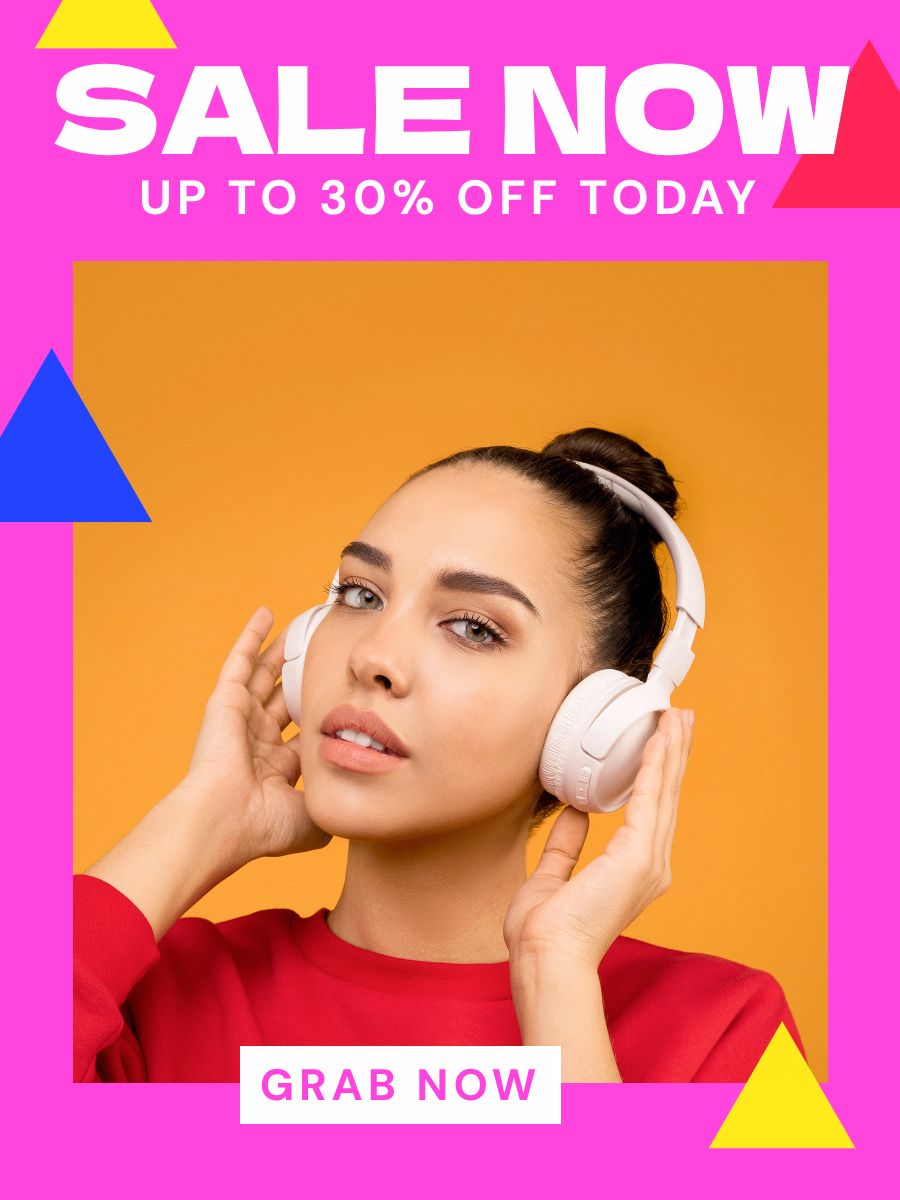
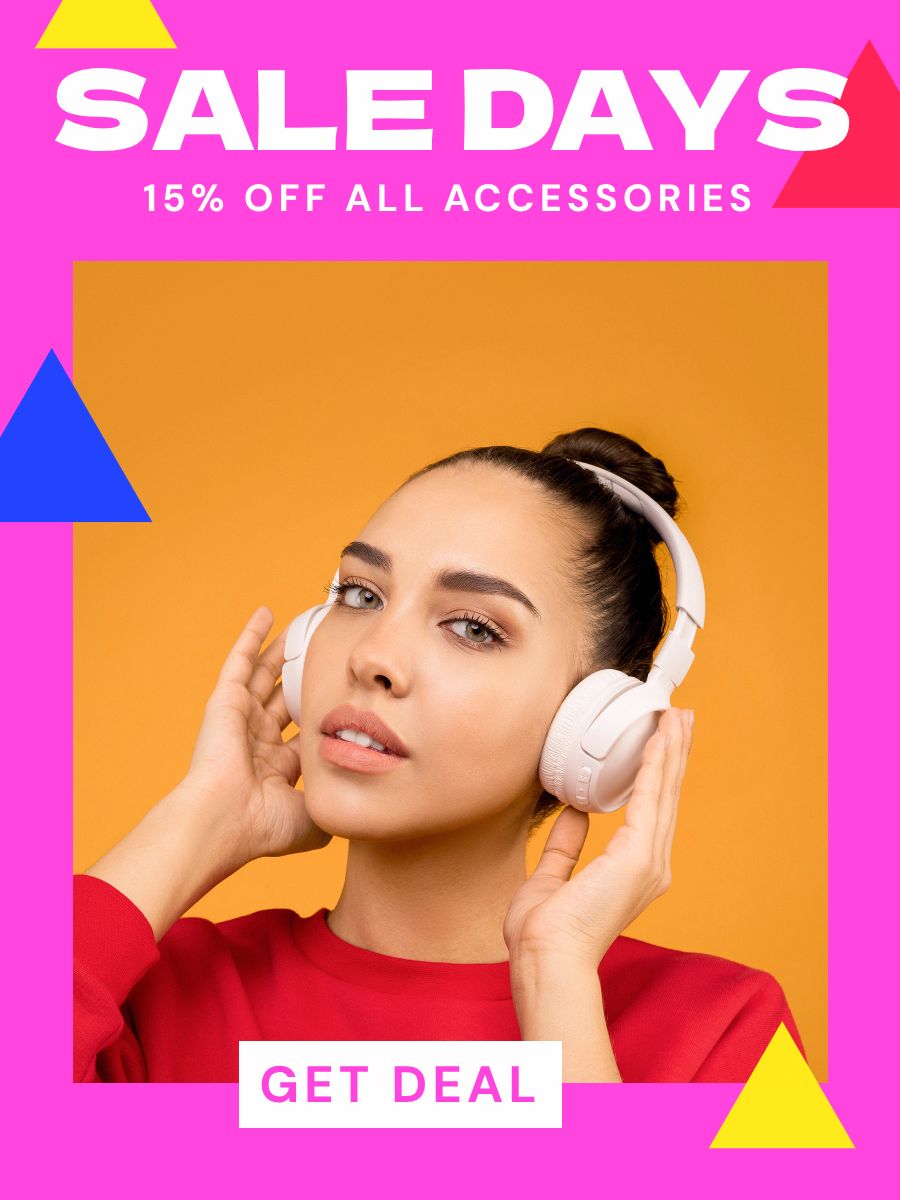
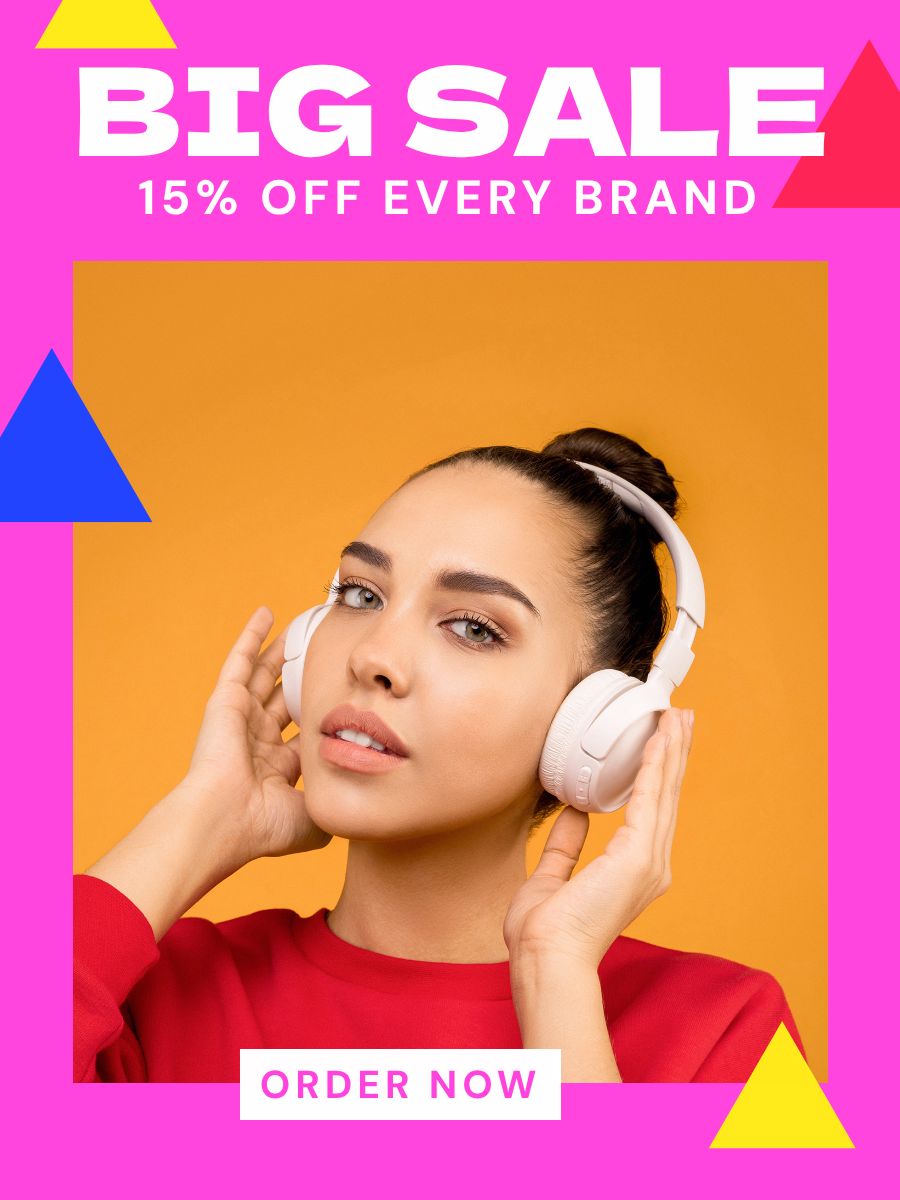
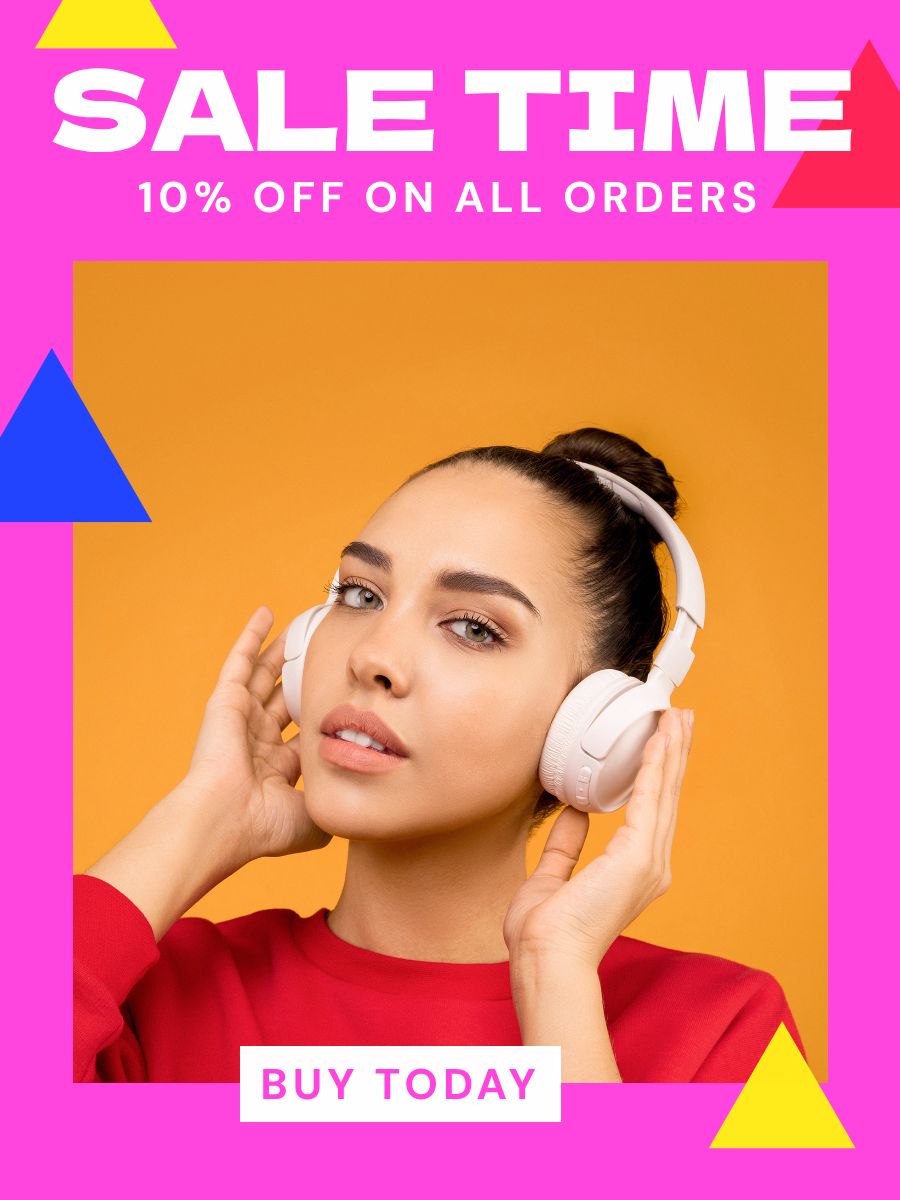
●Rendered with the Sale E-commerce with Photo template, your 3 banner ads are ready
>Now make the same set with the subtitle 30% off all headphones
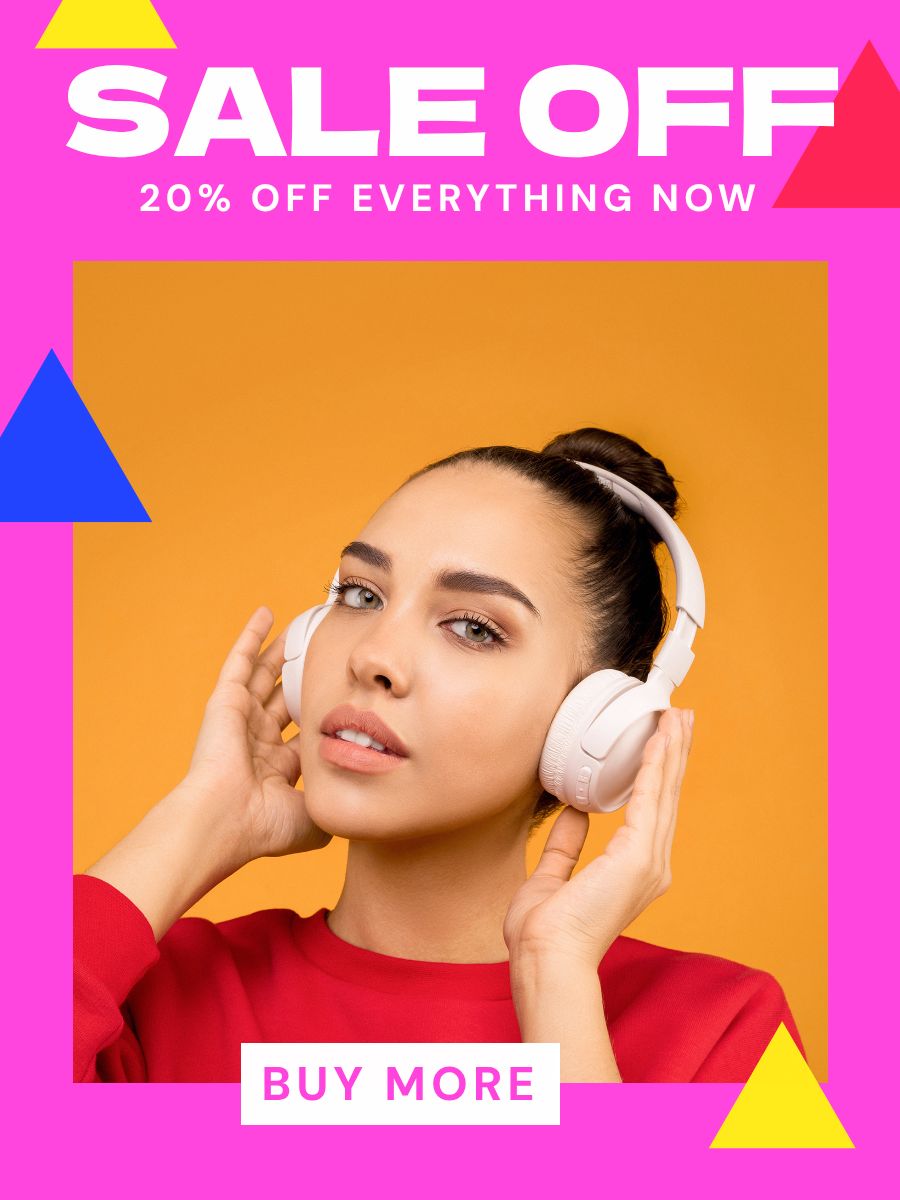
●Done, 3 more banner ads are ready with the new subtitle
Get Started for Free

How Do I Make a Banner Ad in ChatGPT?

To make banner ads in ChatGPT, connect the Bannerbear MCP and type a prompt. ChatGPT cannot make a set of on-brand banner ads at exact ad sizes by itself. With the MCP connected, you ask for the banners in chat and Bannerbear renders them from your own template.

The setup needs Developer Mode turned on in ChatGPT and a plan that supports custom plugins (Free, Go, Plus, Pro, Business, Edu and Enterprise at the time of writing, check OpenAI's pricing page).

Will the Banners Match My Brand?

The layout, fonts and colours come from your template, so every banner matches your brand. The chat only supplies the words, the images and the sizes.

The page below shows the setup, one sample prompt and the real output. The Bannerbear MCP Server page has the full list of what you can ask for.

Set Up the Bannerbear MCP in 3 Steps

You only do this once. The full guide has a screenshot for each click, or watch the setup video.

Turn On Developer Mode

In the ChatGPT web app, open Settings, then Security and login, and switch on Developer mode.

Add the Plugin

Open Plugins in the left sidebar, click +, and enter this server URL. Sign in to Bannerbear and click Allow.

Start a Chat

Tag the plugin with @, or pick it from the + menu, then paste the prompt from the next section.

Some Sample Prompts for Banner Ads

Name your template, the sizes you need and the words for each layer. ChatGPT passes this to the Bannerbear MCP.

>Use my Bannerbear template 'Sale E-commerce with Photo' to make banner ads at 1080x1080, 1200x628 and 300x250. Title: Summer Sale. Subtitle: 20% off all headphones. Button: Shop now.

The Real Output: Three Ad Sizes from One Template

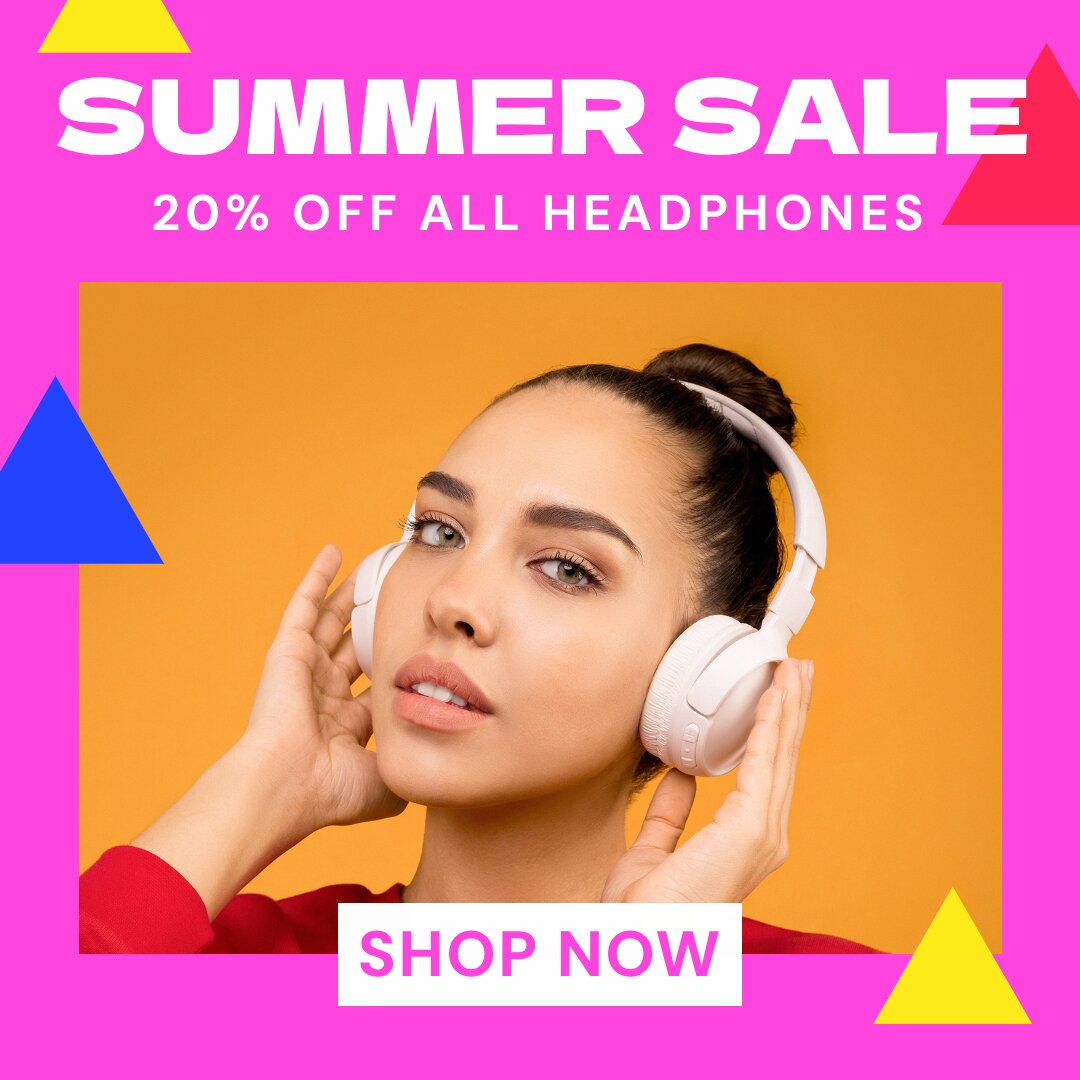
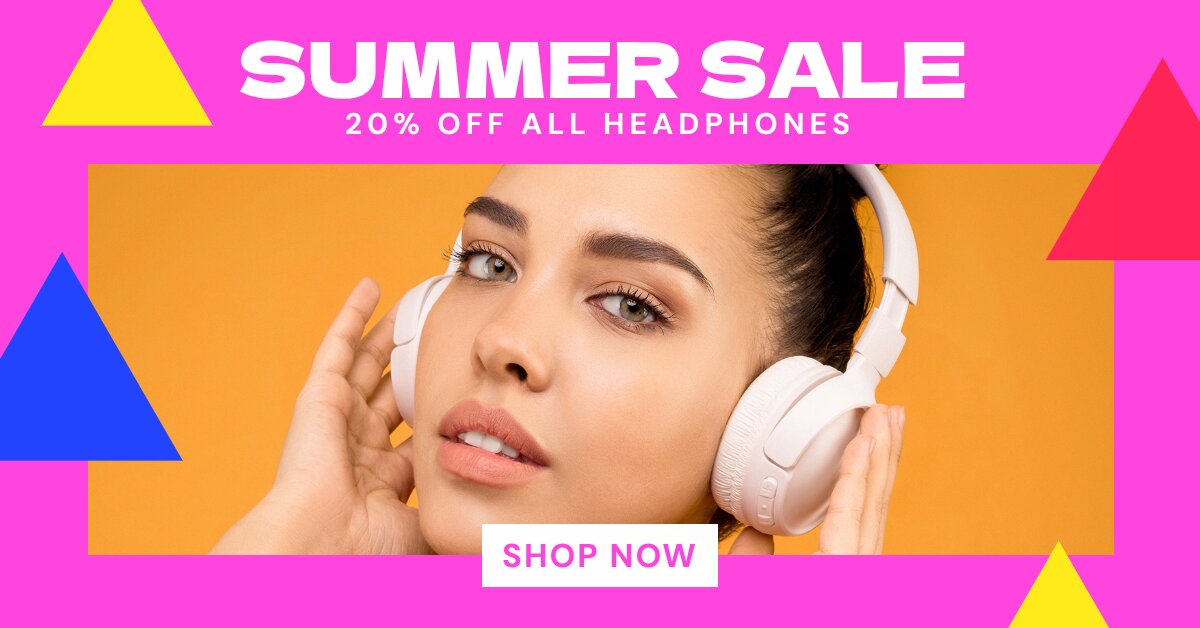
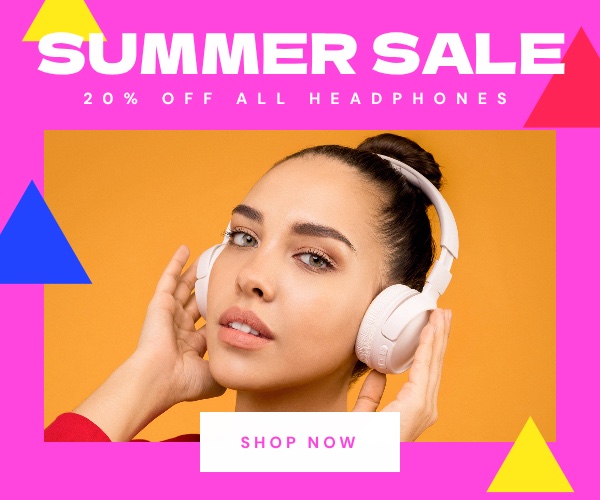
These three banners are real Bannerbear renders from the Sale E-commerce with Photo template, made on 2026-11-13 with the Ad Sizes prompt above, sent through the Bannerbear MCP. They are not a screenshot of a ChatGPT chat.

Questions About Banner Ads in ChatGPT

The common questions about making banner ads with ChatGPT and the Bannerbear MCP

Can ChatGPT make banner ads by itself?

ChatGPT cannot make a set of on-brand banner ads at exact ad sizes by itself. Connect the Bannerbear MCP and it can ask Bannerbear to render the banners from your template, so the layout, fonts and colours stay the same in every size.

Do I need a paid ChatGPT plan to connect Bannerbear?

Custom plugins are available on Free, Go, Plus, Pro, Business, Edu and Enterprise plans at the time of writing. Plans change often, so check OpenAI’s pricing page first. You also need Developer Mode turned on, as the setup guide shows.

Which banner sizes can I ask for?

Any size you name in the prompt. The example on this page renders 1080x1080, 1200x628 and 300x250 from one template by changing only the width and height. Bannerbear reflows the layers for each size, so check each result against your brand rules.

Do I need to design a template first?

Yes. You design the banner once in Bannerbear, or install a ready-made one. ChatGPT then fills in the text and images for each request. The MCP can also create and change templates from chat, as the ChatGPT setup guide shows.

Can I chain more steps after the banners?

Yes. A Bannerbear workflow chains renders and media tools, such as video, audio and PDF tools and AI actions, in one run. See the workflow recipes for ready-made examples.

Does this work in Claude too?

Yes. The Bannerbear MCP works in Claude and other MCP clients. See banner ads with Claude or the Bannerbear MCP Server page.

Start a Free Trial

Start a free trial with 30 API credits, no credit card required

Resize Video
Add Intro Animation
Add Subtitles

Get Started for Free