The Youtube feed is a loud, chaotic place where everyone is competing for a viewer’s attention. Designing an eye-catching thumbnail that actually conveys what your video is about will help you get views and appeal to the right audience. And—this is something you can automate, so you can spend more time actually producing quality content.
A video's thumbnail serves the same purpose as a great subject line or hook on an ad: driving curiosity and encouraging a click that builds trust. But designing one-off thumbnails is different from designing reusable ones.
When you're building a template system, design principles like spacing, imagery, contrast, and text still matter—but you're also contending with a new problem: scalability. Templates save time, but only if they're built right. When they're not, little mistakes compound across dozens of videos.
This guide walks you through how to design templates that stay effective—then how to measure whether they actually are.
Why Templates Fail
Templates are appealing to busy content creators because they promise to save time and remove decisions. And they certainly can! But when you’re not intentional about what you’re templating, they do the opposite: exposing every lazy choice.
A template that’s too rigid suffocates variation. Use the same old stock photo week after week, and your audience stops seeing them. A template that’s too loose defeats the purpose; you end up redesigning each thumbnail anyway, burning the time you wanted to save.
The real trap? Templates fail silently. It isn’t always obvious—it can take weeks for your metrics to show a downturn and you realize they’re losing their punch.
The tips in this article aren’t about making beautiful templates—that’s where design principles come in. They’re about building systems that stay effective over time—flexible enough to feel fresh, but tight enough to be quick and effective.
5 Actionable Tips for Designing Reusable Thumbnails
1 - Get Dimensions Right the First Time
A correctly sized thumbnail is non-negotiable. Stick to technical specs to keep your thumbnail crisp across displays and platforms. When you’re creating graphics at scale, small technical mistakes only compound—so get it right the first time.
As of 2026, What Dimensions recommends the following technical specs for Youtube thumbnails:
| Metric | Definition | Typical value |
|---|---|---|
| Aspect ratio | Relationship between width and height | 16:9 (recommended) |
| Recommended size | Ground truth for best balance of quality and load time | 1280x720 px |
| Max file size | Limits to prevent slow loading | 2 MB |
| Formats | Accepted image types on upload | JPG, PNG, GIF, BMP |
2 - Choose a Few Color Scheme Variants
If there’s one thing that will make your page look bland, it’s the same color scheme across all the thumbnails. This doesn’t mean you need to develop a new brand kit—but you should develop a few variants integrating secondary and tertiary colors to bring out a different look. This is where templates shine. You can lock the structure down and let color do the work.
Tools like Bannerbear let you dynamically swap colors without touching the layout. But even without automation, pre-building 2-3 color variants of the same template means you're rotating through proven designs, not improvising.
3 - Cycle a Few Templates
Having a handful of templates on hand that you rotate through is the difference between a template system that works and one that feels stale. Using templates doesn't mean your page has to look boring and repetitive. Rather, templates is an opportunity to utilize creativity while providing some visual consistency—which is very important for brand recognition!
Variations can be different in color, but they can also have completely different image placements or text styles. They can have more or less elements and be used for different types of content, or simply cycled through chronologically. The key: you're not redesigning; you're selecting from a curated set. It's up to you!
4 - Invest in a Set of Stock Photos & Brand Elements
This is where most template systems collapse. You design a beautiful template, but then you're stuck hunting for images that fit—so you settle for mediocre ones just to ship on time. Having a set of graphics and illustrations to rely on is a great way to make sure your thumbnails remain professional, and you aren't pulling low-quality screen grabs just to come up with something unique. Investing in a few nice thumbnail-style stock photos early on will save you a ton of headache later.
5 - Design for Versatility
Things like text box sizes, photo frames, and outlines need to be considered when designing thumbnails individually, but they are especially important when designing for scale. If your text box is too small, swapping in a longer headline breaks the template. If your image frame is rigid, a wider photo crops awkwardly. If your background will be changing, ensuring any text elements on the page have enough contrast will make sure you aren't losing visual impact.
Automation tools can help here—text fitting and smart image cropping mean your assets adapt instead of you adapting them each time.
Mixing in a few static elements (eg. background, decorative shapes, brand mascot) will create consistency and build recognition while having fewer moving pieces for a great final thumbnail.
Measuring the Effectiveness of Your Thumbnails
The metrics that matter aren't just about whether a single thumbnail worked—they're about whether your template approach is sustainable.
These basic stats can help you get an overhead view of whether your thumbnails are working or not:
- Click-through rate (CTR) - A high CTR (5% or higher) indicates that people see your thumbnail and want to find out more.
- Average view duration (AVD) - Your thumbnails should be attracting a relevant audience. When viewers stick around to watch 50% or more of the video, this indicates the message matches the hook.
- Impressions - Impressions show how many people are actually seeing your video. It should more or less line up with CTR and AVD. If you’ve got plenty of impressions but low CTRs, views, and engagement, there’s a chance your thumbnail is falling short.
The goal isn't perfection—it's consistency with flexibility. When you track these metrics across your template system (not just individual thumbnails), you can see exactly when repetition stops working and when it's time to rotate.
Getting Started With Pre-designed Templates
New to thumbnail design? Not to worry—we’ve got you covered. Here are some of our designer-approved templates that you can load into your Bannerbear project and get started with right away!

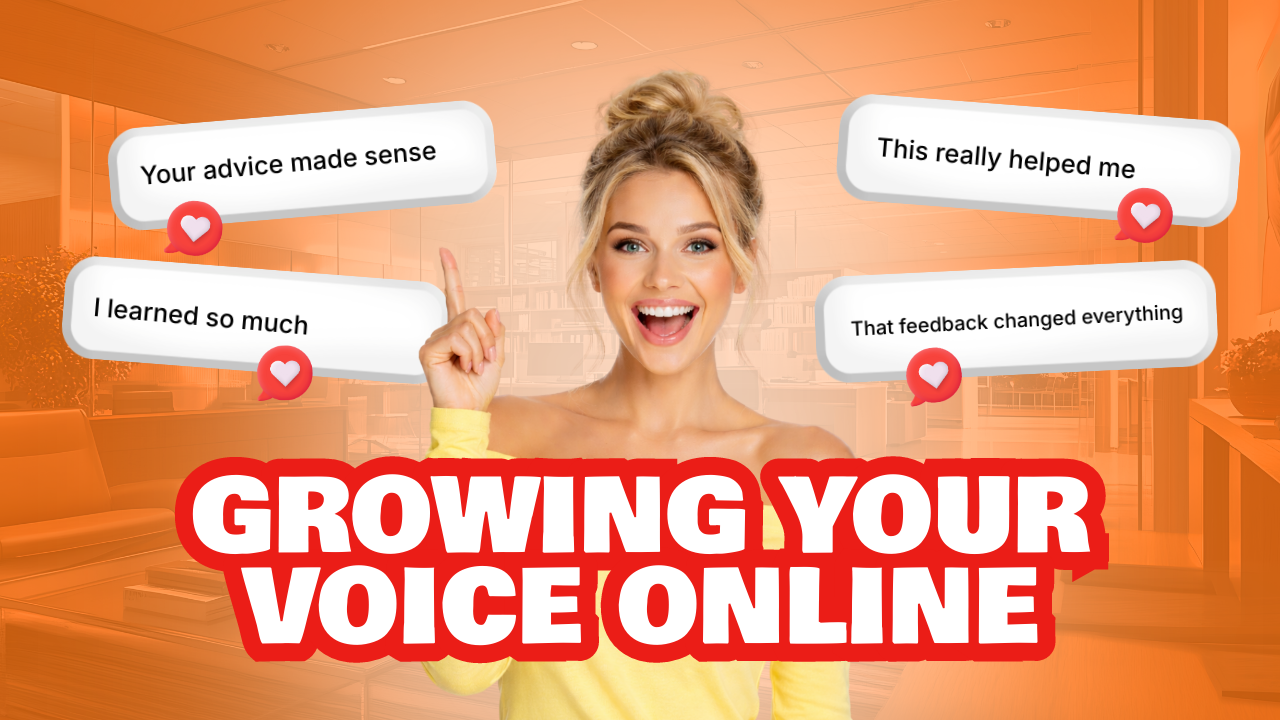

(And there's more where that came from!)
Conclusion
A good template system might seem boring to build, but there’s deep satisfaction in seeing it work. You do the hard work upfront—locking in dimensions, pre-selecting assets, designing for flexibility—and then you get the thing templates promised: speed without sacrifice.
The difference between a template that saves you hours and one that wastes your time is usually invisible until you're months in. But it comes down to this: Did you constrain the right things? Are your assets strong enough to carry variation? Can the template breathe?
Sign up your free Bannerbear trial, and start with one solid template. Test it across 5-10 videos. Track your metrics. Then, once you know what works, build from there!