
Connect to Bannerbear's MCP server to ask your AI assistant or LLM to create templates, generate images or run workflows instead of writing API calls.
Some things you could do with your AI client:
- Generate new templates based on your design prompts
- Edit or delete Templates
- Create or run Workflows
- Create and retrieve a batch request
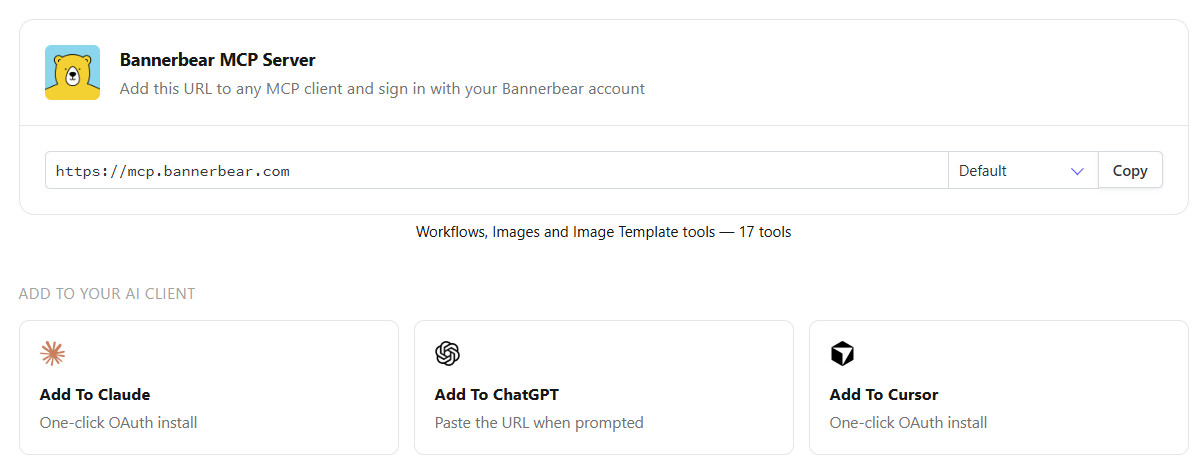
🐻 Set Up Bannerbear MCP
- Claude Code — bannerbear.com/blog/...mcp-in-claude-code
- Codex — bannerbear.com/blog/...mcp-in-codex
- ChatGPT — bannerbear.com/blog/...mcp-in-chatgpt
- OpenClaw — bannerbear.com/blog/...mcp-in-openclaw
- Cursor — bannerbear.com/blog/...mcp-in-cursor
Hosted server — OAuth
Point your MCP client at one of the hosted endpoints below and authenticate with standard OAuth. Your MCP client's connect flow handles the authorization for you — no API key required.
Each endpoint is a profile that exposes a different set of tools. Pick the smallest one that covers what you need — fewer tools means less for the agent to reason about.
| Tools | Hosted Endpoint |
| Templates, publications, image & animation generation, and workflows (30 tools) | https://mcp.bannerbear.com/ |
| Workflows only, plus account (8 tools) | https://mcp.bannerbear.com/workflows |
| Every Bannerbear tool (63 tools) | https://mcp.bannerbear.com/all |
| You can also request any comma-separated list of tool groups as the path. A scoped API key narrows the tool list further | https://mcp.bannerbear.com/account,workflows,generation |
Local install — API key
npx @bannerbear/mcp
Prefer to run it yourself? Install the @bannerbear/mcp package and run it locally, authenticating with your API key. See the package README for client configuration.

