

Webhook vs. API Explained: When to Use Each for Third-Party Integration
Contents
"Webhooks vs. API—which one should I use?" This is one of the most common questions developers face when integrating third-party services into their applications.
Many popular third-party services like Stripe, PayPal, Twilio, and Slack offer both APIs and webhooks for integration. Both methods let your application communicate with their services, but they work in fundamentally different ways.
In this article, we'll break down the key differences between webhook and API when integrating external services, explore when each method works best, and walk through some real-life examples from platforms like Stripe, GitHub, Slack, and Bannerbear to help you make the right integration choice.
First, let’s start with the basics…
What is an API?
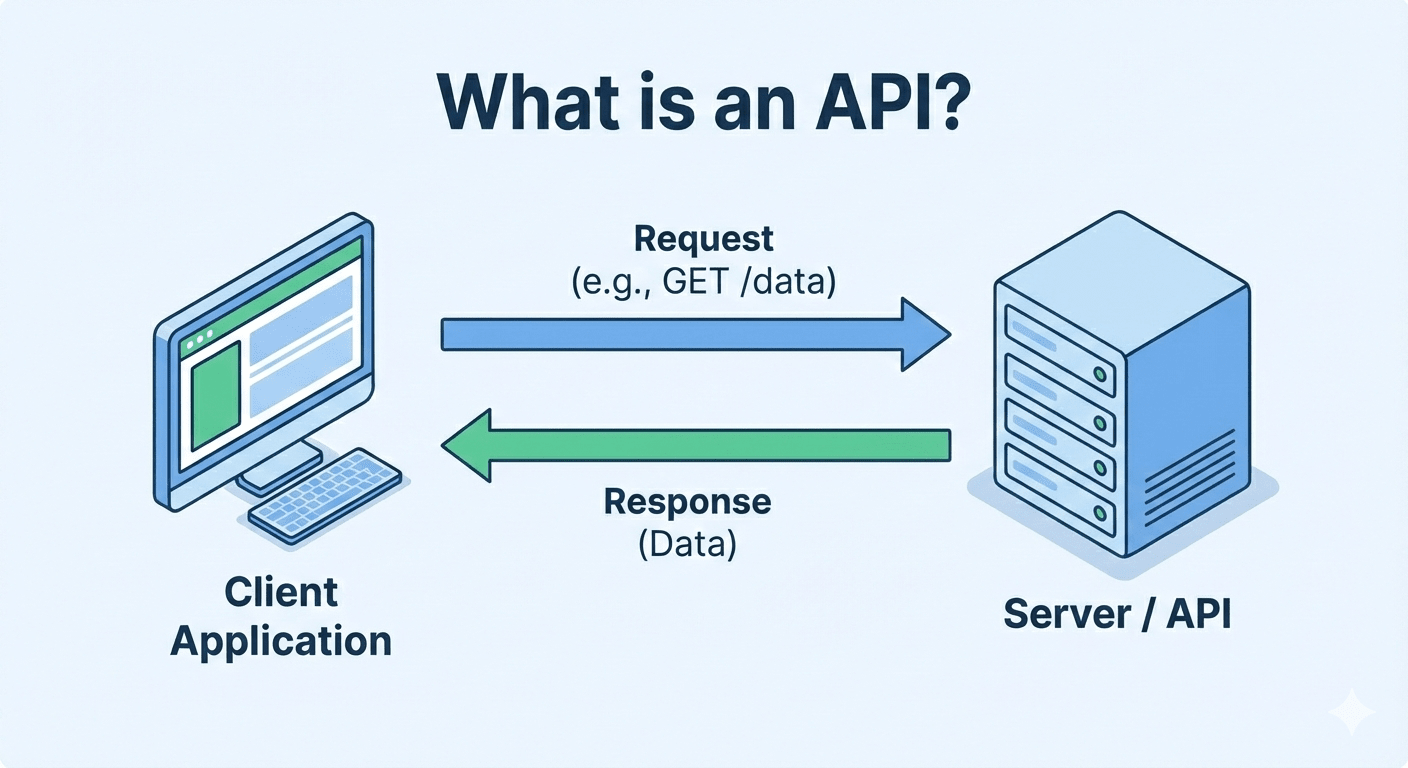
An API (Application Programming Interface) is a set of rules and protocols that allows one application to request data or actions from another operating system, application, or service. It enables different applications to talk to each other.
Most modern APIs use the REST architecture and communicate via HTTP methods like GET, POST, PUT, and DELETE. When you make a request, the server processes it and sends back a response. For example, it could be retrieving data with GET, creating something new with POST, or updating existing information with PUT.
An API call can be internal, like calling a service within your own system to retrieve user data, or external, where you request data from third-party services you don't control. When integrating external services, you'll primarily work with their public APIs. For exampple, using the Google Maps API to get detailed information about a specific location.
What is a Webhook?
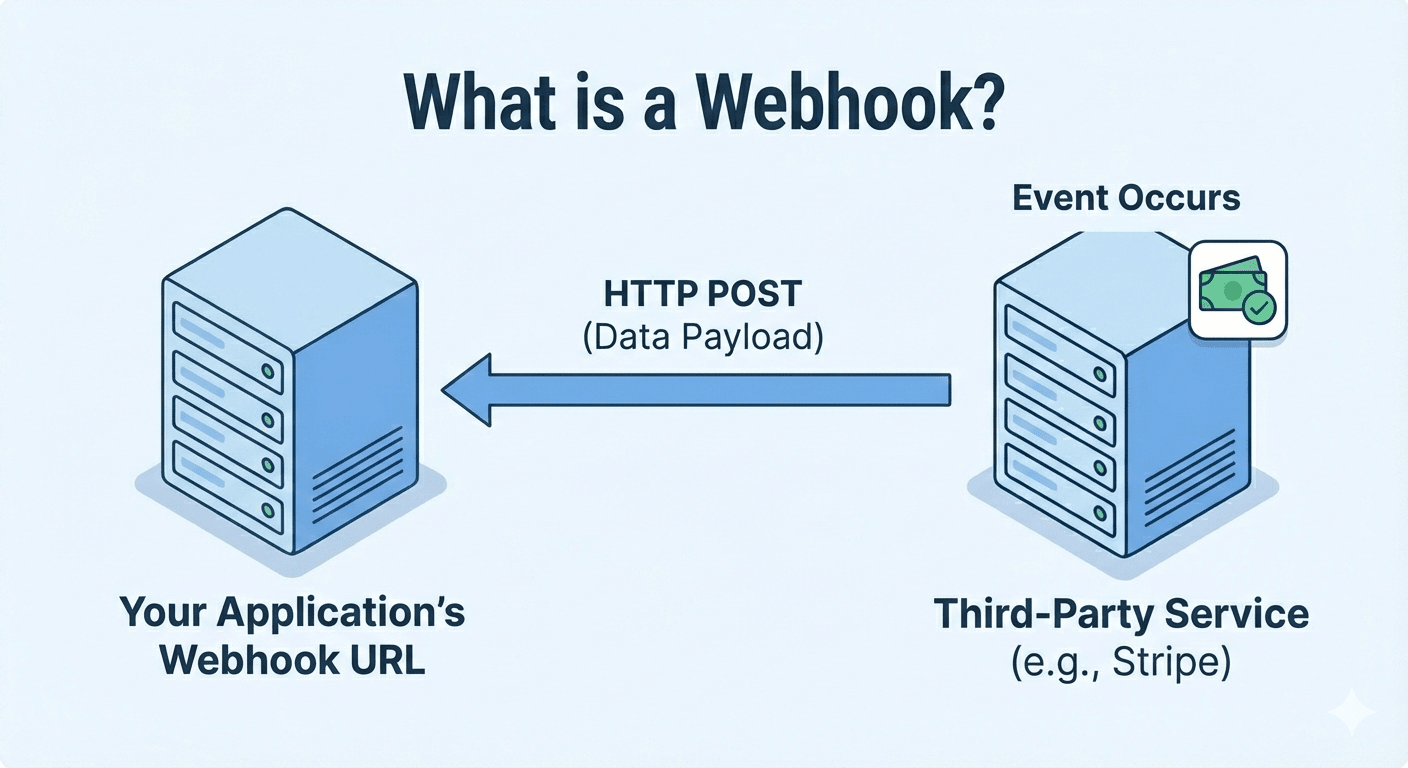
A webhook is an event-driven way for applications to communicate. Unlike APIs where you need to make a request to get a response, webhooks automatically send data to you when a specific event happens on the third-party service. The event could be anything from a completed payment, a new form submission, a code push to a repository, to a scheduled trigger.
Webhooks work by sending an HTTP POST request to a URL you specify whenever a specific event occurs. You register your webhook URL with the third-party service you want to receive notifications from, and when that event triggers, the service sends the relevant data directly to your application.
You can also add webhook functionality to your application to notify your users. When a specific event occurs in your system, you send a webhook to URLs provided by your users. This makes it easier for your users to get data from your application and integrate it into their own workflows without manual polling or constant API calls.
Key Differences Between API and Webhook
Now that you understand what API and webhook are, let's break down the key differences between these two:
Communication Pattern
- API : Two-way communication. Your application initiates a request, and the server responds with data.
- Webhook : One-way notification. An event occurs on the server and automatically sends data to your endpoint.
Efficiency
- API : If the data isn't ready yet, you have to keep making repeated requests until it is. This wastes resources and can hit rate limits.
- Webhook : You only receive notifications when something actually changes. No wasted requests.
Real-Time Updates
- API : If you're polling for updates, you might have delayed data since you're only checking at fixed intervals.
- Webhook : Deliver instant notifications the moment an event occurs
Functionality
- API : Full CRUD operations (Create, Read, Update, Delete) with queries.
- Webhook : Designed for notifications only, not data manipulation. For actions on the data, you'll need to make subsequent API calls.
Setup
- API : Just send a request and handle the response returned.
- Webhook : Require setting up a public endpoint to receive notifications.
Real-World Examples
Stripe
Stripe offers APIs for initiating payments, processing refunds, managing subscriptions, and more. For example, when a user clicks "Pay Now" in your app, you call Stripe's API to process that payment and get an immediate response.
Stripe also supports webhook. After you register a webhook endpoint, Stripe can push real-time event data to your application’s webhook endpoint when events like a payment confirmation, a successful recurring charge, or a customer dispute happen in your Stripe account.
GitHub
GitHub’s API allows you to query repository data, create issues, manage pull requests, update files, and retrieve commit history programmatically.
Their webhooks send notifications when events happen in a wide range of scenarios, including when code is pushed to a repository, a new member is added to your team, a new pull request is created, etc.
Slack
Slack’s API lets you read message history, search conversations, get user information, create channels, and post messages with complex formatting. You can use it to build bots, create Slack apps, or integrate Slack with other tools.
Slack also offers webhooks, but they work differently from Stripe and GitHub. Instead of sending notifications to your app when something happens on their platform, it's the other way around. When events happen in your application, like new customer signups, deployments, or error alerts, you can use Slack's incoming webhooks to post messages to Slack channels instantly without needing to authenticate or handle responses.
Bannerbear
Bannerbear's API lets you trigger image or video generation with your specific design parameters, retrieve generated assets, manage templates, and more. This allows you to integrate its media generation funtionality directly into your app or create automated media generation workflows.
Bannerbear also supports webhooks to notify you automatically when your images or videos finish processing. Instead of polling the API repeatedly to check if the generation is complete, you provide a webhook URL when triggering the generation. Bannerbear then sends the finished asset to your endpoint as soon as it's ready.
Making an API Request to a Third-Party Service
We'll use Bannerbear as an example for demonstrating both API and webhook usages. Image generation takes time to process—this makes it an ideal example for comparing polling API vs. webhooks.
Here's a simple example of how you'd use Bannerbear's API with polling to check if your image is ready:
const fetch = require('node-fetch');

async function checkImageStatus(imageUid) {
  try {
    const response = await fetch(
      `https://api.bannerbear.com/v2/images/${imageUid}`,
      {
        headers: {
          'Authorization': `Bearer ${process.env.BANNERBEAR_API_KEY}`,
          'Content-Type': 'application/json'
        }
      }
    );

    const data = await response.json();

    if (data.status === 'completed') {
      console.log('Image ready:', data.image_url);
      // Use the generated image
      return data.image_url;
    } else {
      console.log('Still processing...');
    }

    return data;
  } catch (error) {
    console.error('API request failed:', error);
  }
}

// Poll every 3 seconds to check if image is ready
const imageUid = 'your_image_uid';
const pollInterval = setInterval(async () => {
  const result = await checkImageStatus(imageUid);
  if (result && result.status === 'completed') {
    clearInterval(pollInterval);
  }
}, 3000);
Implementing a Webhook Endpoint for Third-Party Services
If you provide a webhook URL when you’re creating an image instead, Bannerbear automatically sends the completed image data to your endpoint when it's ready. This removes the need for polling.
Here's how you can set up a webhook endpoint to automatically receive the result from Bannerbear using Node.js and Express:
const express = require('express');

const app = express();
app.use(express.json());

// Webhook endpoint
app.post('/bannerbear-webhook', (req, res) => {
  // Process the webhook data
  const imageData = req.body;

  if (imageData.status === 'completed') {
    console.log('Image ready:', imageData.image_url);
    // Use the image-e.g., send email, update database, trigger next workflow
  }

  res.status(200).send('Webhook received');
});

app.listen(3000, () => {
  console.log('Webhook server running on port 3000');
});
When creating an image with Bannerbear, simply include your webhook URL:
const fetch = require('node-fetch');

async function createImage() {
  const response = await fetch('https://api.bannerbear.com/v2/images', {
    method: 'POST',
    headers: {
      'Authorization': `Bearer ${process.env.BANNERBEAR_API_KEY}`,
      'Content-Type': 'application/json'
    },
    body: JSON.stringify({
      "template": 'your_template_uid',
      "modifications": [
        {
          "name": 'title',
          "text": 'Hello World'
        },
        {
          "name": 'image',
          "image_url": 'https://example.com/photo.jpg'
        }
      ],
      "webhook_url": 'https://yourdomain.com/bannerbear-webhook', // include your webhook URL
    })
  });

  const data = await response.json();
  console.log('Image generation started:', data.uid);
  // No need to poll - webhook will notify when ready
}
🐻 Bear Tip: Refer to Bannerbear's API Reference for more details on how it works.
Webhook vs. API: When to Use Which for Third-Party Integration
For the example above, polling works but it's inefficient. Image generation takes time, and you could easily make 3-4 unnecessary API calls just to find out if it's ready. This wastes resources and can quickly consume your API rate limits.
On the other hand, the webhook approach is much more efficient. Bannerbear only sends a request to your webhook endpoint with the completed image URL automatically when it’s ready.
That said, this is specific to that scenario. For other use cases, here's some guidance to help you decide which approach to choose:
Choose webhook if…
- You need real-time, instant event notifications without delay
- You want to eliminate the overhead of constant API polling
- Communication is primarily one-way (server notifying your application)
- You're building event-driven automated workflows
Choose API if…
- You need to retrieve data on demand or at specific, controlled intervals
- You need to perform complex operations like creating, updating, or deleting data
- You're working with historical data, reports, or scheduled operations
Final Thoughts
Understanding the difference between webhooks and APIs helps you build more efficient, responsive applications. APIs give you flexible, on-demand data access whenever you need it, while webhooks are better for pushing real-time event notifications.
The next time you're planning an integration, asking yourself: "Do I need to actively request this data, or should the system notify me when something happens?" will guide you to the right solution.