

6 Basic Coding Concepts for Vibe Coding Beginners in 2026
Contents
With the rapid development of AI, it is now possible to build real software without years of programming experience. More and more people are using AI coding tools like Claude Code, GitHub Copilot, and Cursor to turn their ideas into working projects and getting pretty far with them.
However, most people hit a wall at some point. When the AI generates something that doesn't quite work, or an error appears and makes no sense, they can’t figure out how to fix it. They lack a basic understanding of how code works.
If this sounds like you, this article is for you—in this article, you're going to learn the basic but essential coding concepts like variables, functions, conditional statements, data types, and more. By the end of it, you should have a clear understanding of what code is actually doing so that you can guide your AI tool with clearer instructions, read its output with more confidence, and troubleshoot when things go wrong.
Let's jump right into it!
What is Coding?
At its most basic level, coding is the process of writing instructions that tell a computer what to do. From a simple to-do list app to a complex website, every software is built from these instructions. When you ask an AI to "write me a function that adds two numbers", it's translating your plain-English request into precise instructions the computer can execute.
Keeping this in mind helps you communicate more clearly with AI tools. Instead of saying "make a thing that handles users", say "write a function that takes a username and password and checks if they match a stored record". The more specific your instructions are, the more effectively your AI can help.
6 Basic Coding Concepts
To understand the code written by your AI better, here are some fundamental concepts you must know:
Variables
A variable is a named container that holds a piece of information, like a labeled box you can put something in, take it out, or swap its contents.
Here's what that looks like in JavaScript (one of the most common languages for web development):
let username = "John";
let age = 28;
let isLoggedIn = true;
In the first line, we're creating a box called username and putting the text "John" inside it. In the second, a box called age holds the number 28. In the third, isLoggedIn holds a true/false value.
When an AI generates code with variables, you need to understand what data is being stored and passed around. If your app is behaving strangely, a variable holding unexpected data is often the place to start looking.
🐻 Bear Tip: Descriptive names like
userEmailtell you clearly what's stored. If the AI uses variable names likexortempeverywhere, ask it to rename variables to be more readable.
Functions
A function is a reusable block of code that performs a specific task. You give it something (inputs), it does its job, and gives you back a result (output).
Here's a simple function:
function greetUser(name) {
  return "Hello, " + name + "!";
}

greetUser("John"); // Returns: "Hello, John!"
This function takes a name as input and returns a greeting. It is reusable and you can call it as many times as you want with different names.
🐻 Bear Tip: If AI-generated functions feel too long or complex, ask the AI to break them into smaller, more focused functions. Smaller functions are easier to test, debug, and understand.
Conditional Statements (if/else/switch)
One of the most fundamental things code can do is make decisions. Should this button show up? Did the user enter a valid email? Is the quantity above zero? This is handled through conditional statements.
The most common one is the if/else statement:
if (age >= 18) {
  console.log("Access granted");
} else {
  console.log("Sorry, you must be 18+");
}
The code checks a condition (is age 18 or older?), then runs different instructions based on whether that's true or false.
Loops (for/while)
A loop is a way to run the same block of code multiple times without writing it out over and over. Any time you need to process a list of items, like displaying products on a page, sending a notification to every user, or checking each row in a spreadsheet, a loop handles it automatically.
Here's one of the most common types, the for loop:
for (let i = 0; i < 5; i++) {
  console.log("Count: " + i);
}
This loop runs five times, counting from 0 to 4. On each pass, i increases by one until the condition (i < 5) is no longer true, and the loop stops.
🐻 Bear Tip: When you see "infinite loop" errors or your app freezes, it usually means a loop's condition never becomes false, so it runs forever. Ask your AI to review loop conditions when you hit this issue.
Data Types
Code distinguishes between different types of data, and mixing them up causes bugs that can be hard to trace. This catches a lot of AI-assisted beginners off guard.
The most common data types you'll encounter are strings (text), numbers (integers and decimals), booleans (true/false), arrays (lists), and objects (collections of related data):
let name = "John"; // String
let score = 42; // Number
let isActive = true; // Boolean
let colors = ["red", "blue", "green"]; // Array
let user = { // Object
  name: "John",
  score: 42
};
APIs
If you're building anything that connects to the internet, like pulling in weather data, processing payments, or sending emails, it's likely you'll use an API. An API (Application Programming Interface) is a messenger between your code and another service.
Here's what a basic API call looks like using JavaScript's fetch:
const response = await fetch('https://api.example.com/users/123');
const user = await response.json();
console.log(user.name);
Even though AI tools can generate API calls, understanding the concept helps you know what data you're sending and receiving, especially when it comes to authentication keys, rate limits, and error handling.
🐻 Bear Tip: A good beginner-friendly API to practice with is Bannerbear. You send it a template ID and some text or image data, and it returns a fully generated image (great for building things like social media cards or certificates!).
Errors and How to Read Them
Code can break, whether written by human or AI.. Error messages tell you exactly what went wrong and (usually) where. Even though you can give AI an instruction to fix it, learning to read them is one of the most useful skills you can develop because there are things that AI can’t fix.
Here are the three most common types you'll encounter:
Syntax Error
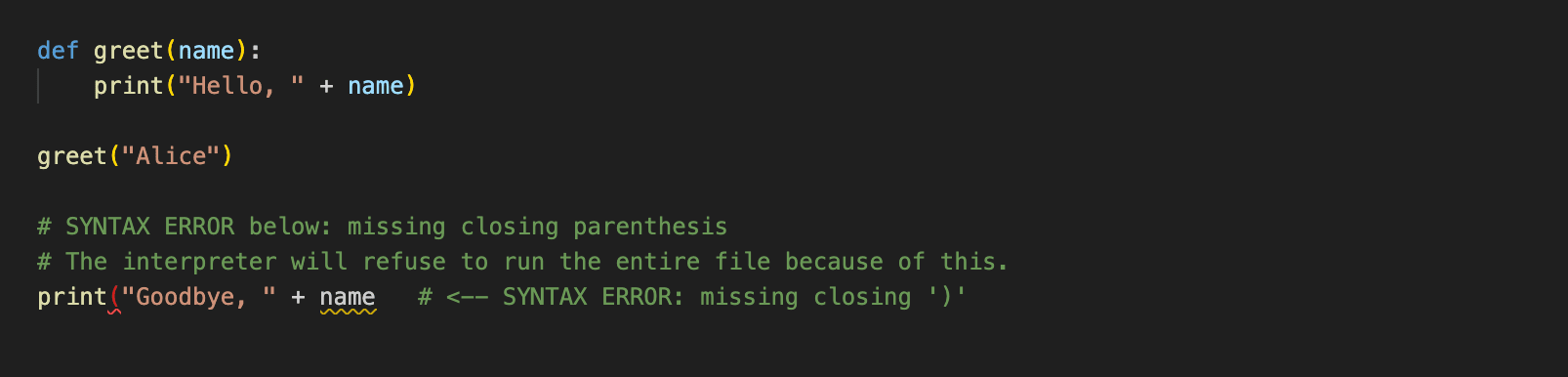
This is like breaking a grammar rule of the language. For example, missing a bracket, misspelling a keyword, or leaving an unclosed quote. These are caught immediately and are the easiest to fix.
Runtime Error
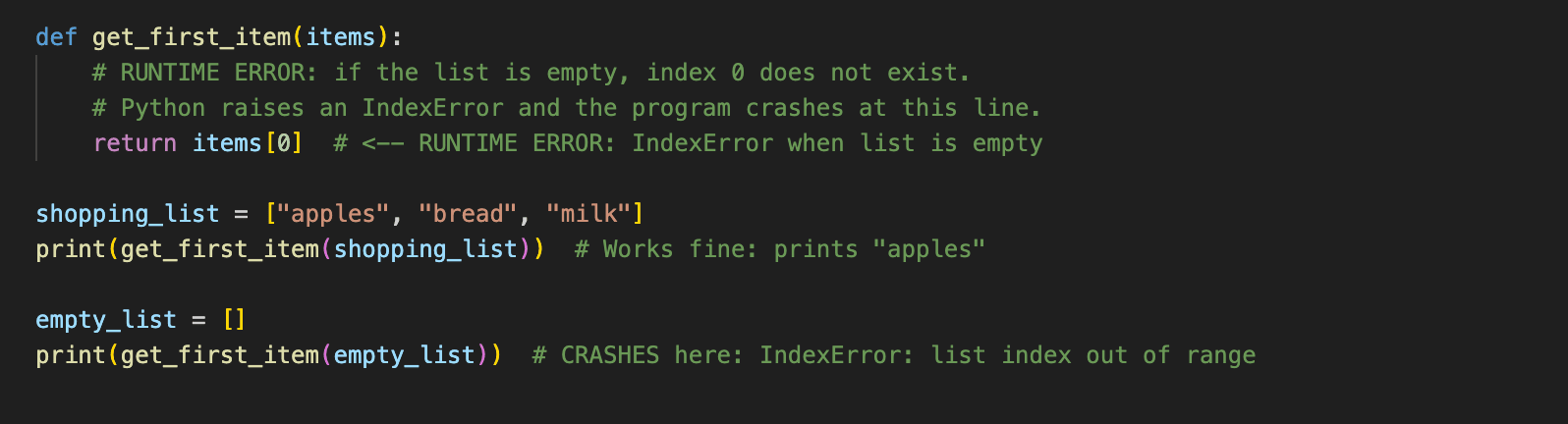
The code is grammatically correct, but something goes wrong while it's running. For example, trying to access a variable that doesn't exist yet, or dividing by zero. To fix this, go to the line number where the crash happened, check what each variable holds at that point, and work backwards to find where the unexpected value came from.
Logic Error
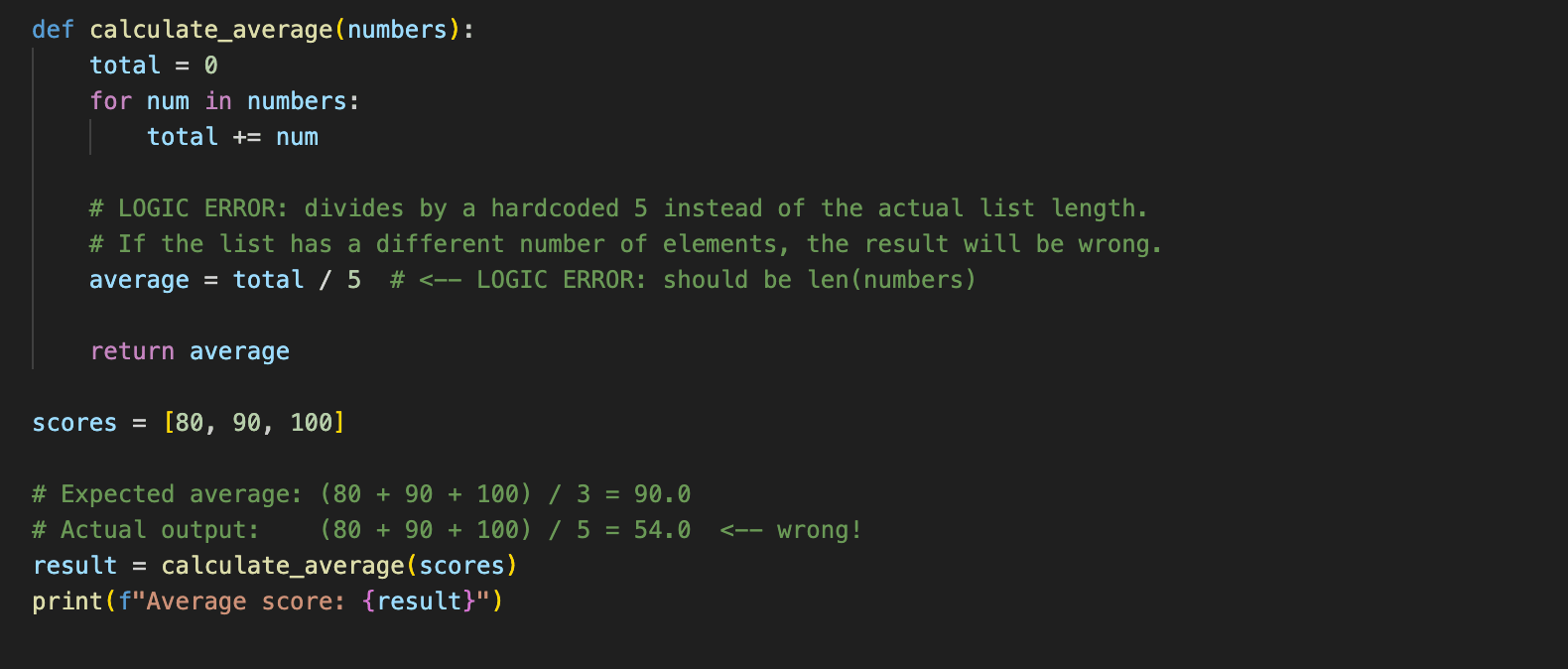
The code runs without crashing but it does the wrong thing. These require reading through your code and understanding what it should do versus what it actually does.
Conclusion
You don't need to memorize every command or spend months going through textbooks before you start building things. Variables store data, functions do things, conditional statement makes decisions, data types matter, errors are feedback, and APIs connect services. Those six ideas cover a large portion of what you'll encounter day to day.
With these concepts as a foundation, you'll be able to code using AI more effectively!
To learn more:
👉🏻 Claude Code vs. Cursor: Which AI Coding Tool Is Better in 2026?
👉🏻 What is an MCP Server and How to Build One
👉🏻 Bannerbear Beginner Guide: How to Start Generating Images Dynamically in JavaScript with Bannerbear