
Use the Generate AI Video tool to generate videos from prompts or starting image using your choice of AI model.
- Click Tools on the left panel
- Select Generate AI Video
- (Optional) Provide a Starting Image (the clip begins from this frame and animates it)
- Provide a Prompt and configure the remaining parameters to your preference
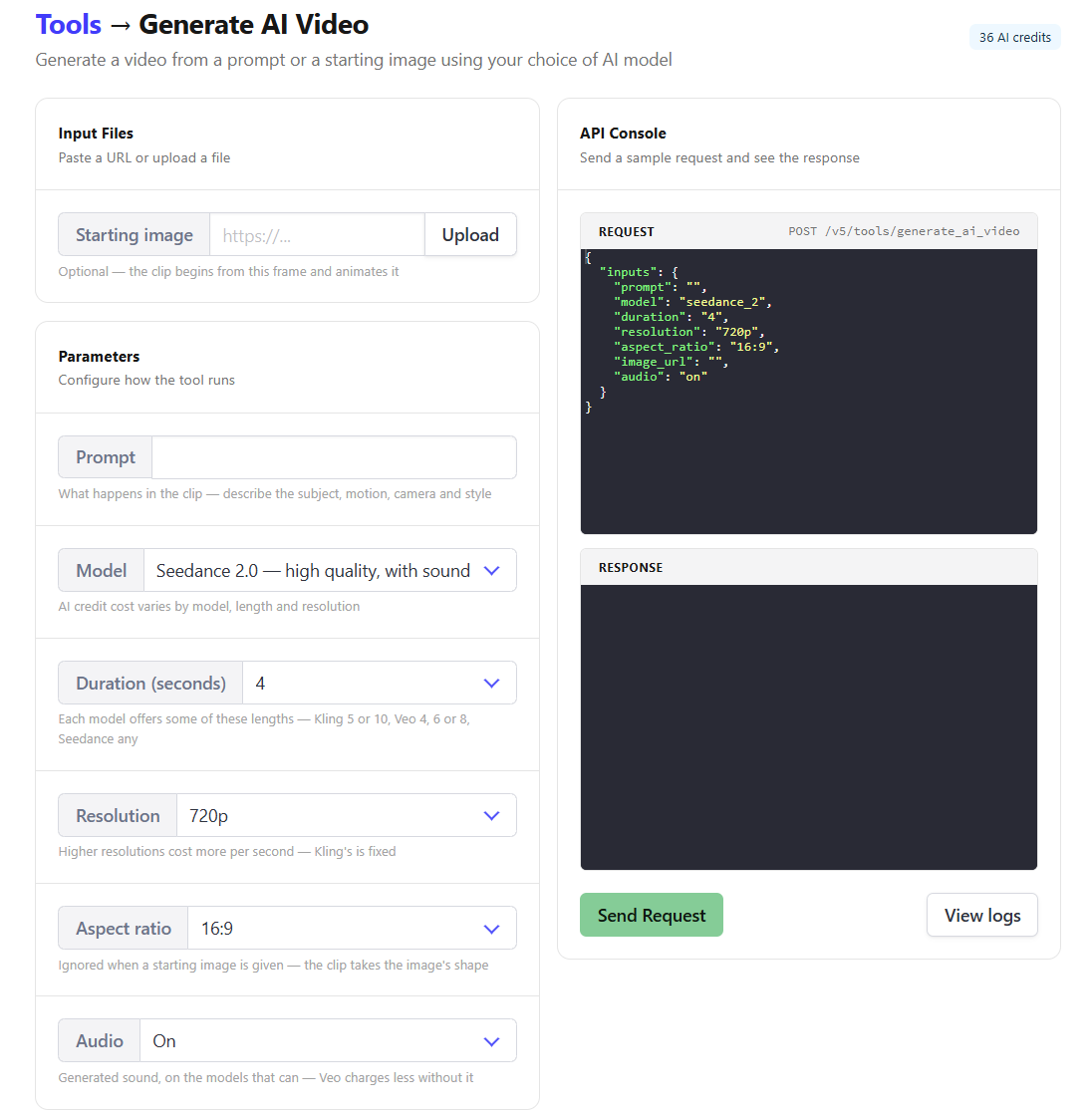
🐻 Bear Tip: AI Cost depends on your configuration. Cost is displayed at the top right of the page.
Generate AI Video Costs
| Model | Resolution | Audio | 4 s | 5 s | 6 s | 8 s | 10 s |
|---|---|---|---|---|---|---|---|
| seedance_1_lite | 480p | n/a | 4 | 5 | 5 | 7 | 9 |
| seedance_1_lite | 720p | n/a | 7 | 9 | 11 | 14 | 18 |
| seedance_1_lite | 1080p | n/a | 14 | 18 | 22 | 29 | 36 |
| seedance_2 | 480p | On / Off | 16 | 20 | 24 | 32 | 40 |
| seedance_2 | 720p | On / Off | 36 | 45 | 54 | 72 | 90 |
| seedance_2 | 1080p | On / Off | 90 | 113 | 135 | 180 | 225 |
| kling_2_5_turbo_pro | Fixed | n/a | – | 18 | – | – | 35 |
| veo_3_1_fast | 720p | Off | 20 | – | 30 | 40 | – |
| veo_3_1_fast | 720p | On | 30 | – | 45 | 60 | – |
| veo_3_1_fast | 1080p | Off | 20 | – | 30 | 40 | – |
| veo_3_1_fast | 1080p | On | 30 | – | 45 | 60 | – |
API method
Send a POST request to the /v5/tools/generate_ai_video endpoint, along with your inputs.
var data = {
  "inputs": {
    "prompt": "Person walking",
    "model": "seedance_2",
    "duration": "4",
    "resolution": "720p",
    "aspect_ratio": "16:9",
    "image_url": "starting_image.jpg",
    "audio": "off"
  }
}
fetch('https://api.bannerbear.com/v5/tools/generate_ai_video', {
  method: 'POST',
  body: JSON.stringify(data),
  headers: {
    'Content-Type' : 'application/json',
    'Authorization' : `Bearer ${API_KEY}`
  }
})

