
To join multiple videos, just use the Join Videos tool. Otherwise, use workflows join two or more videos end-to-end into a single file and chain it with other Bannerbear operations.
Inputs
Create a Workflow and use the + Add Input button to declare your inputs. These are the parameters that you'll supply to the API when you run your workflow.
🐻 Bear Tip: Available inputs can be found on the Join Videos tool page and the API parameters can be found on the API Reference page.
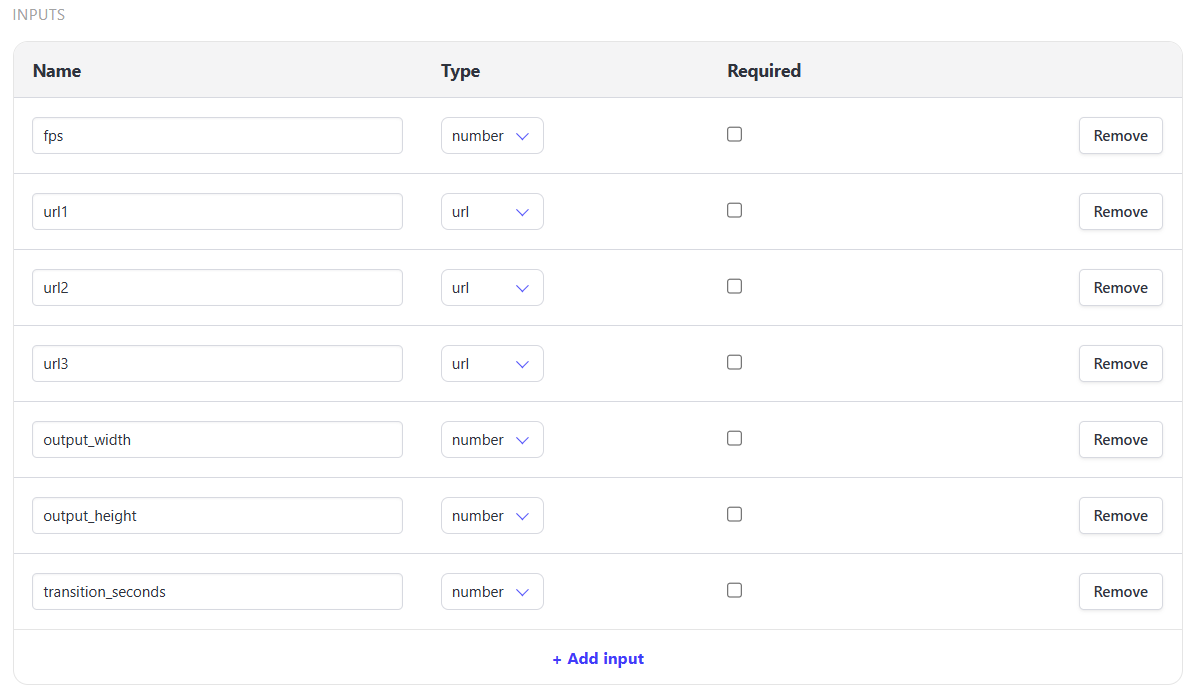
Each Inputs has:
- name - used as references in your steps and API requests
- type - the type of input you're supplying
texturlnumberboolean(true/false)
- required - determines whether a run must supply this input
Join Videos
🐻 Bear Tip: When joining files, you must supply your inputs one per line — they'll be joined in the order they're arranged.
Add a Tool step and select the Join videos option from the list. Use the + ref input list to add your inputs to their corresponding fields.
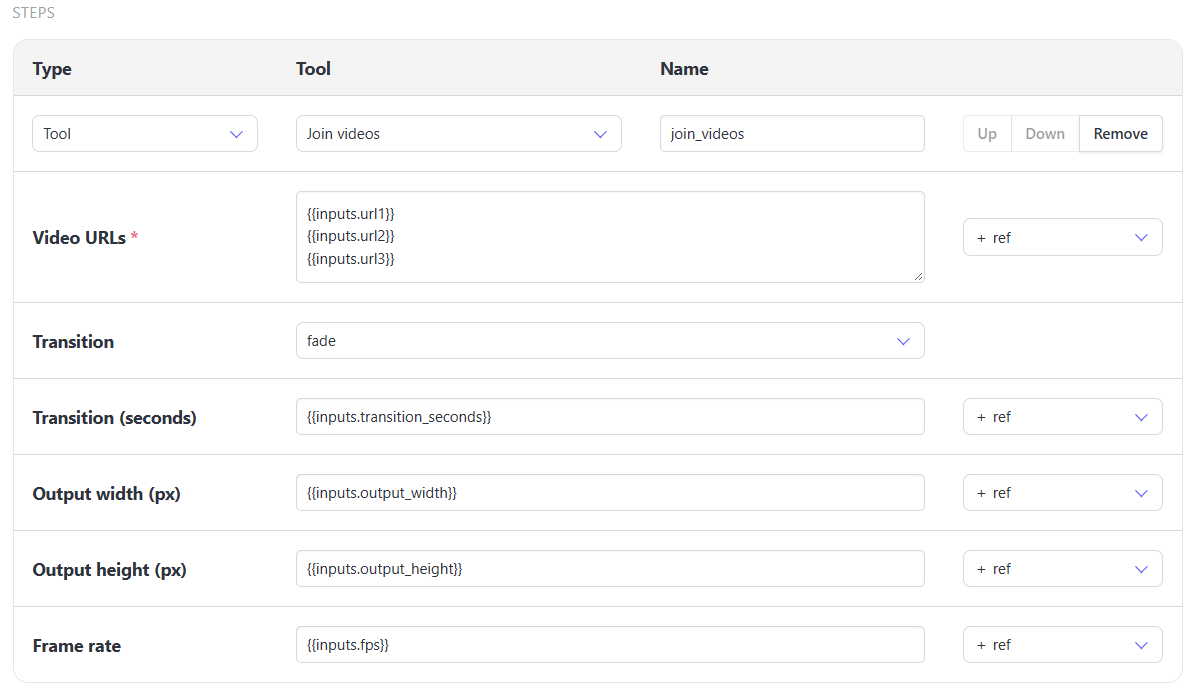
You can chain this step with others, like Resize Video and Add or Replace Audio before joining them into a single file.
API Workflow Run
Send a POST request to the /v5/workflow_runs endpoint, along with your workflow UID and your inputs.
var data = {
  "workflow": "VymBYa7gMjW6JQ2njM",
  "inputs": {
    "fps": 30,
    "url1": "https://cdn.bannerbear.com/sample_videos/intro.mp4",
    "url2": "https://cdn.bannerbear.com/sample_videos/body.mp4",
    "url3": "https://cdn.bannerbear.com/sample_videos/outro.mp4",
    "output_width": 1920,
    "output_height": 1080,
    "transition_seconds": 2
  }
}
fetch('https://api.bannerbear.com/v5/workflow_runs', {
  method: 'POST',
  body: JSON.stringify(data),
  headers: {
    'Content-Type' : 'application/json',
    'Authorization' : `Bearer ${API_KEY}`
  }
})
🐻 Bear Tip: Workflows can be created via the API as well. See Create a Workflow for more.

