
Use the Generate Voiceover tool to turn text into spoken audio using a natural-sounding TTS voice.
In-app method
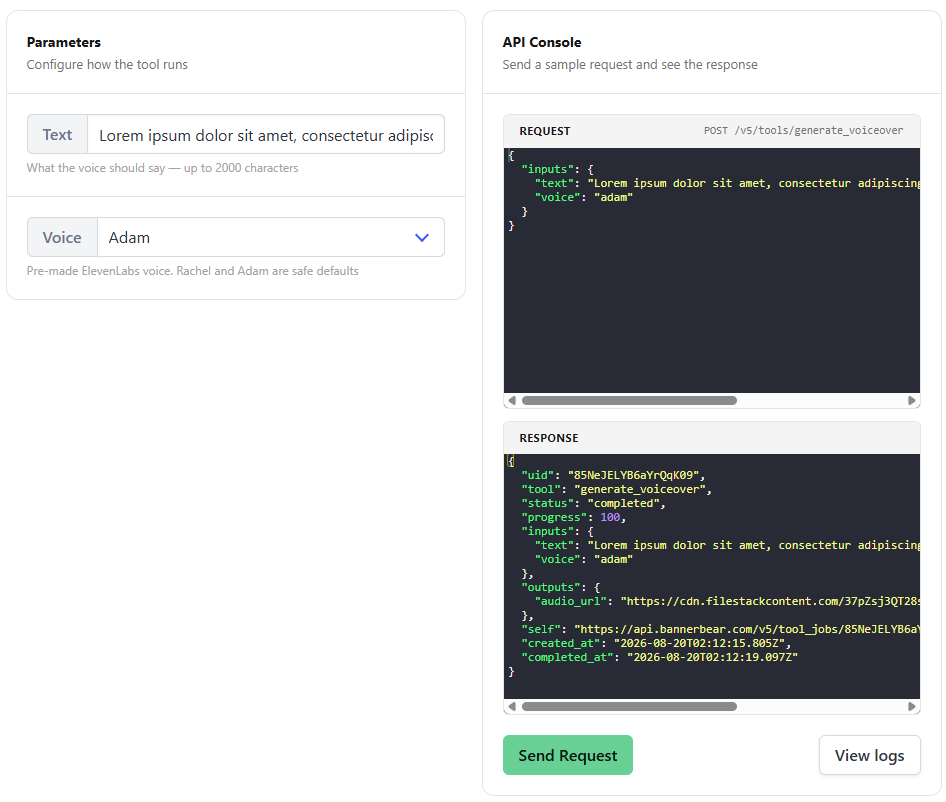
- Click Tools on the left panel
- Select Generate Voiceover
- In the Text field, enter the text you want to convert into audio
- Select a Voice from the drop-down list
- Hit Send Request
API method
Send a POST request to the /v5/tools/generate_voiceover endpoint with a "text" and "voice" string for audio conversion.
var data = {
  "text": "Welcome to Bannerbear, the media automation API.",
  "voice": "adam"
}
fetch('https://api.bannerbear.com/v5/tools/generate_voiceover', {
  method: 'POST',
  body: JSON.stringify(data),
  headers: {
    'Content-Type' : 'application/json',
    'Authorization' : `Bearer ${API_KEY}`
  }
})

