
Use the Create Video Slideshow tool to turn a series of images into an MP4 slideshow with optional transition.
In-app method
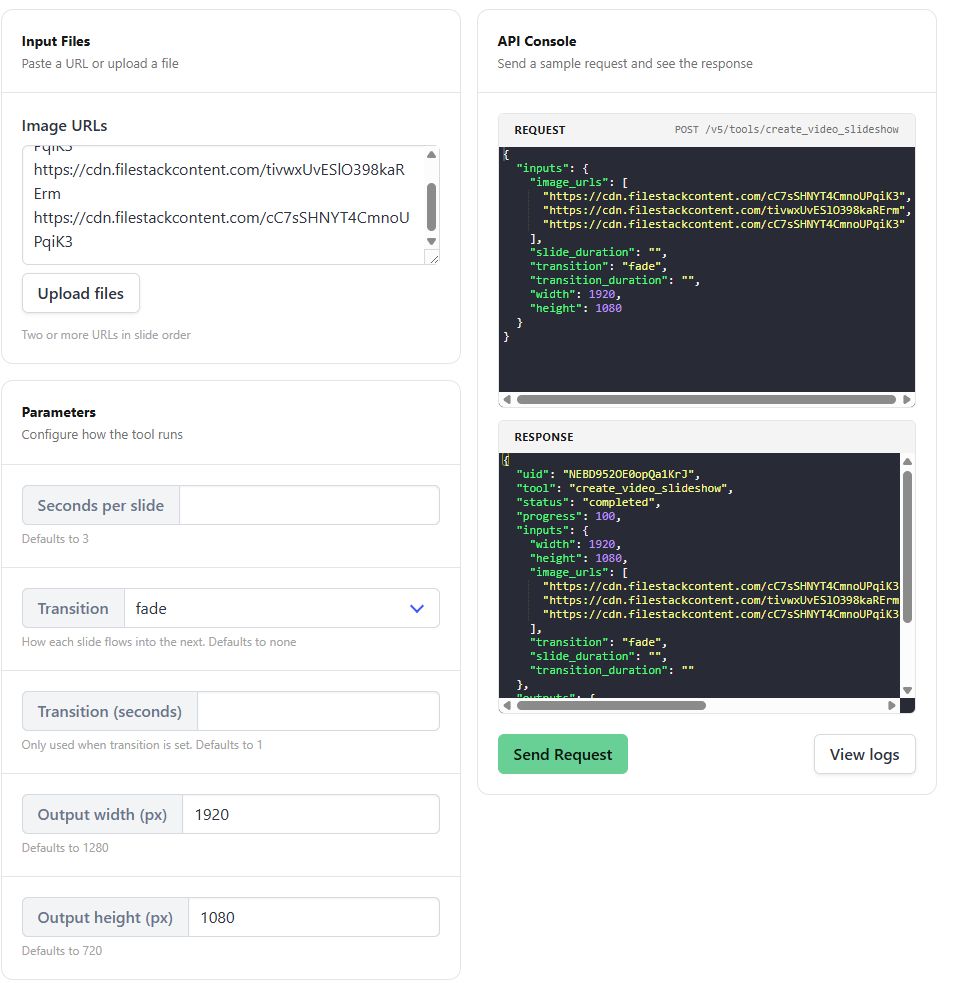
- Click Tools on the left panel
- Select Create Video Slideshow
- In the URLs field, upload or paste the URLs for stitching (one URL per line)
- Define your styling parameters like duration per slide, dimension, transition, etc.
- Hit Send Request
API method
Send a POST request to the /v5/tools/create_video_slideshow endpoint with a list of "image_urls": ["image_url_1.JPG", "image_url_2.JPG", "image_url_3.JPG"] for stitching.
var data = {
  "image_urls": [
    "https://cdn.bannerbear.com/sample/slide1.jpg",
    "https://cdn.bannerbear.com/sample/slide2.jpg",
    "https://cdn.bannerbear.com/sample/slide3.jpg"
  ],
  "slide_duration": 3,
  "transition": "fade"
}
fetch('https://api.bannerbear.com/v5/tools/create_video_slideshow', {
  method: 'POST',
  body: JSON.stringify(data),
  headers: {
    'Content-Type' : 'application/json',
    'Authorization' : `Bearer ${API_KEY}`
  }
})

