
Use AI Detection to create a zoomed focus on a subject or face(s) in your images. Can be enabled from within the Template Editor, then flagged as "ai-detect": "face" or "ai-detect": "subject" in your API requests.
Enabled In Editor
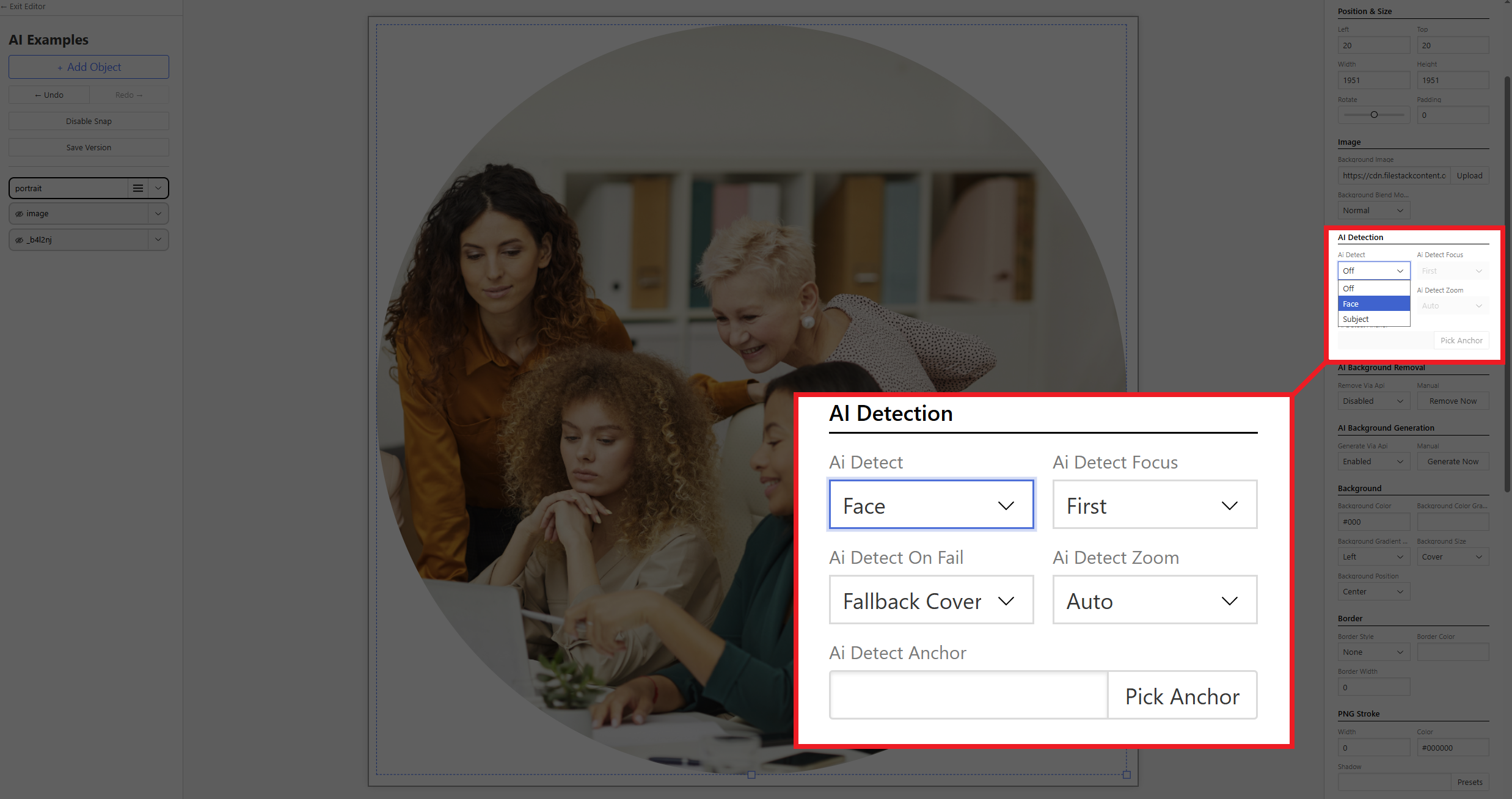
- Add a Rectangle / Circle Image Container (doesn't work with static image)
- Find the AI Detection section on the right panel
- Select either Face or Subject from the drop-down menu
Flag in API Request
We'll need to let the API know if we're detecting a face "ai-detect": "face" or subject "ai-detect": "subject". See the API Reference for more information.
{
"template": "ax9mYepjJgDpg8bAnB",
"modifications": {
"objects": [
  {
    "name": "portrait",
    "background-image": "https://cdn.filestackcontent.com/Vqhk9XYKQvW3BaLvg1eQ",
    "ai-detect": "face",
    "ai-detect-focus": "first",
    "ai-detect-zoom": "auto"
  }
]
}
}

Note: API Requests using this feature will use x2 API quota

