
Inputs
These are the parameters that you supply to the API when you run your workflow. Use the + Add Input button to declare your inputs. This allows your workflow to pull the values you supply.
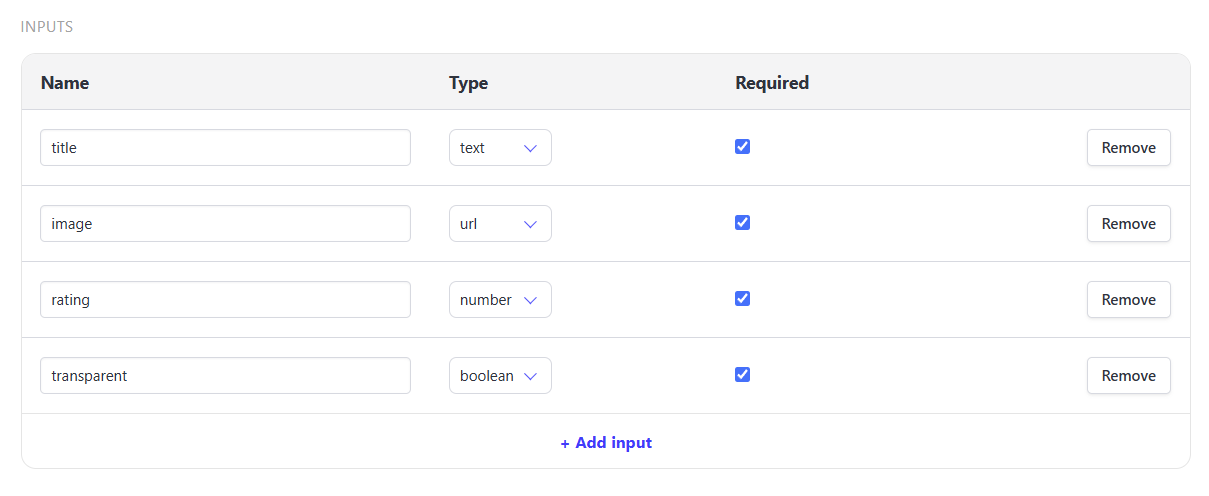
Each input has:
- name - used as references in your workflows and API requests
- type - the type of input you're supplying
texturlnumberboolean(true/false)
- required - determines whether a run must supply this input
References
References allow you to plug the dynamic values you supply into a step instead of manually typing something static.
{{inputs.<name>}}- pulls value you supply via this declare input (e.g.{{inputs.title}}inserts whatever "title" you've supplied){{steps.<key>.<output>}}- pulls value rendered by earlier steps in your workflow (e.g.{{steps.generate_voiceover.audio_url}})
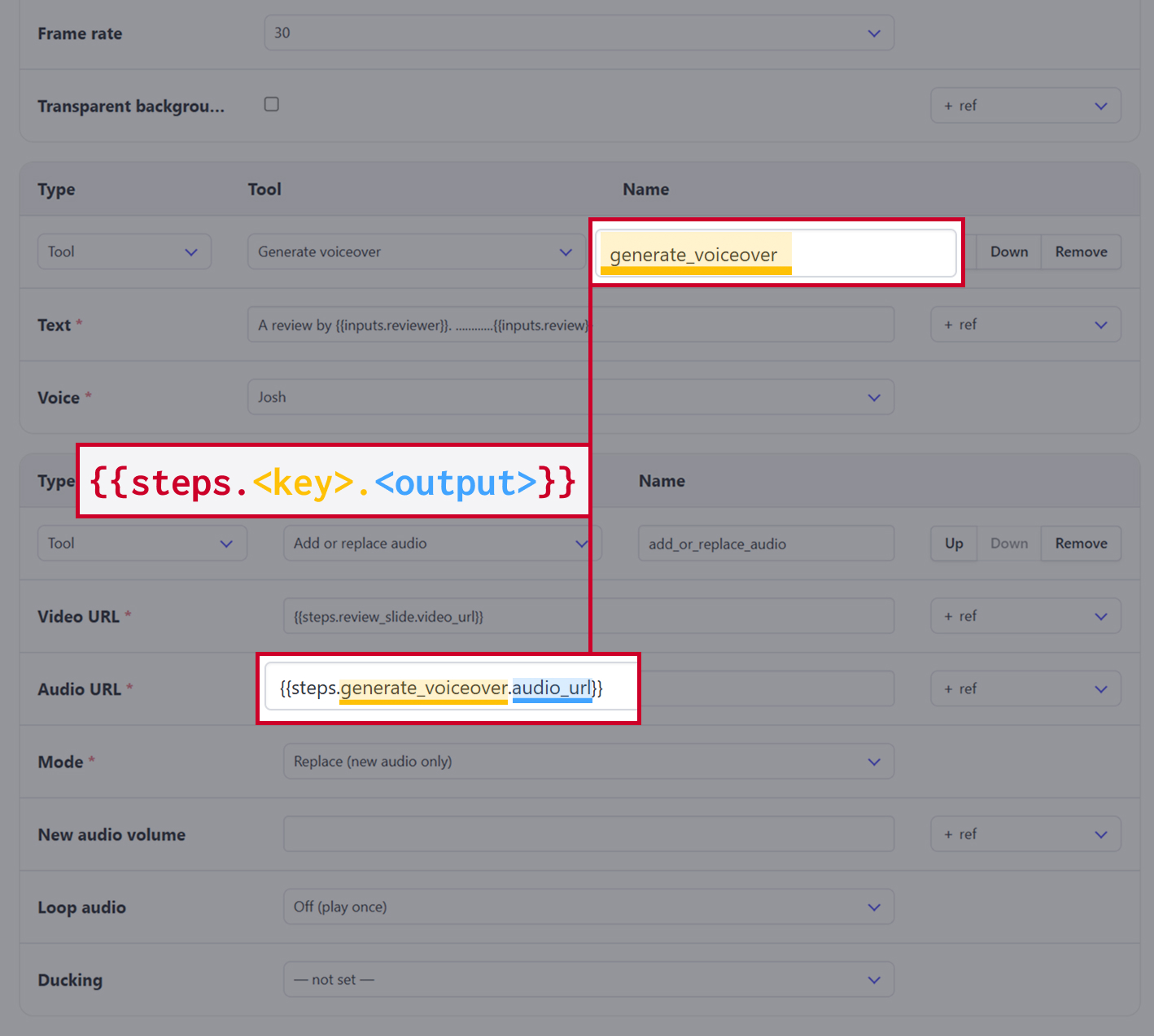
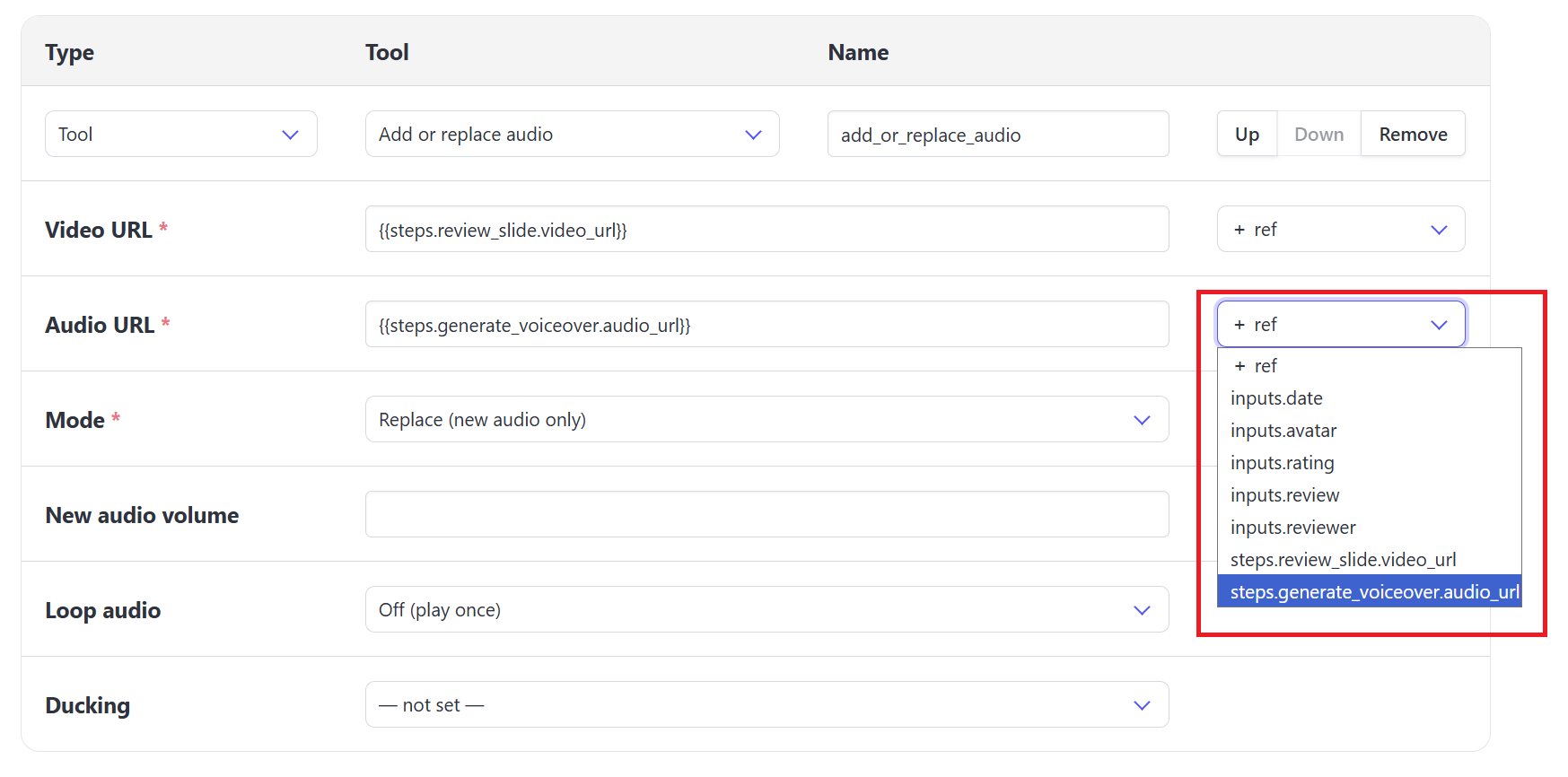
Use the + ref drop-down menu to select your references. These can be either inputs or outputs from earlier steps.
API
The API expects a string of "inputs": {"input1", "input2"}, but they may also be sent as a bare top-level object instead of nested under input.
Nested Inputs
var data = {
  "workflow": "VymBYa7gMjW6JQ2njM",
  "inputs": {
    "video_url": "https://cdn.bannerbear.com/sample_videos/clip.mp4",
    "title_text": "New Arrival"
  }
}
fetch('https://api.bannerbear.com/v5/workflow_runs', {
  method: 'POST',
  body: JSON.stringify(data),
  headers: {
    'Content-Type' : 'application/json',
    'Authorization' : `Bearer ${API_KEY}`
  }
})
Bare top-level
var data = {
  "workflow": "VymBYa7gMjW6JQ2njM",
  "video_url": "https://cdn.bannerbear.com/sample_videos/clip.mp4",
  "title_text": "New Arrival"
}
fetch('https://api.bannerbear.com/v5/workflow_runs', {
  method: 'POST',
  body: JSON.stringify(data),
  headers: {
    'Content-Type' : 'application/json',
    'Authorization' : `Bearer ${API_KEY}`
  }
})
🐻 Bear Tip: Check out the API Reference for more: https://developers.bannerbear.com/v5/#workflows

